9 de septiembre de 2013

How to Share news from Feedly to Hootsuite

Uno de los mayores problemas que experimente cuando cancelaron Google Reader fue el que no podía compartir las noticias directamente de Google Reader hacia Hootsuite.

Se fue Google Reader y llego su "reemplazo", Feedly, que no es de Google pero es el lector de noticias que la mayoría de los usuarios de GR hicieron el cambio.

Ahora para poder compartir desde Feedly hacia Hootsuite no encontraba una forma rapida de un solo boton para que se abra la ventana emergente de Hootsuite (Hootlet) y poder compartir la noticia con las redes sociales.

La única forma que encontré es instalando o siguiendo usando Hootlet en Chrome o Firefox. De que forma. Cuando estas leyendo la noticia dentro de Feedly existen varias opciones para compartir.

En donde seleccionaras el icono de Twitter para compartir a esa red social y se te abrirá la ventana emergente de Twitter con el titulo del articulo, el link del articulo y donde podras agregar mas palabras o hashtags.

Si te fijas en la parte superior tenemos un boton que dice "Count Clicks" que te permitirá compartir el mismo artículo a través de Hootsuite. Dando click en ese boton se te abrirá otra ventana emergente donde ya obtendremos Hootlet.


De donde compremos compartir a Twitter o cualquier otra Red social que tengas en tu cuenta de Hootsuite.

Feedly aun no da acceso a compartir directamente a Hootsuite por que trabaja en conjunto con Buffer que es otro servicio parecido a Hootsuite.


24 de julio de 2013

Google Press Event - 7/24/13 Live


Google's holding a big event in SF - Android 4.3 and a new Nexus 7 could be on the cards

This is it, boys and girls — the second event of the week, and possibly one of the biggest Android presentations of the year. Google's summoned the press to San Francisco, where it's holding a breakfast event hosted by Android and Chrome boss Sundar Pichai. If the recent stream of leaks is anything to go by, Android 4.3 and the new Nexus 7 tablet are highly likely to make an appearance. And given Pichai's role as head of Chrome as well as Android, we might also see some news relating to Google's browser and desktop OS.
However the day unfolds, we'll be live in San Francisco to bring you full coverage of all the announcements, software and hardware. Make a note — the action kicks off at 9 a.m. PDT (12 p.m. EDT, 5 p.m. BST).
Bookmark this page — we've got our liveblog and the official live stream after the break.

1 de julio de 2013

Skype for Android 4.0 launches - 'rebuilt from the ground up'

Skype

Messaging platform celebrates 100 million Android installs with all-new app

Skype for Android is getting a major update today, bringing the app up to version 4.0 with a major redesign. The app, which Skype says recently passed 100 million installs, has been completely redesigned to be more consistent with other platforms' versions. (That is to say it's looking a lot more Windows 8-like as of this latest update.)

The new app features a cleaner "conversation-first" UI, putting greater emphasis on instant messaging. In addition, you can now tab through different areas of the app, and change tabs using swipe gestures. But the changes are apparently more than skin deep, as Skype says it's been "rebuilt from the ground up" to be faster and more reliable.

The Microsoft-owned messaging platform promises further improvements to the Skype app for Android in the future. In the meantime, you can grab today's update from the Google Play Store.

Source: Skype


from Android Central - Android Central 

Verizon Galaxy S4 Gets a Google Play Edition ROM Port


galaxy s4 google play
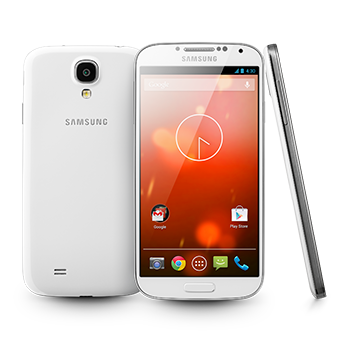
With the Samsung Galaxy S4 Google Play Edition launching at the end of last week, it only makes sense that developers would do their best to bring ROMs from it to every variant of the device. The Verizon version of the GS4 is one of the first to receive the love, which isn’t all that surprising, but seeing as the GPE is a GSM phone, you can imagine that a bit of work went into making this work properly.

According to the developer, this is a port from the GT-I9505, but doesn’t specify if it’s from the Android 4.3 build. I’d assume that it isn’t and is instead a port from the 4.2.2 ROM that ships with the phone.
He has all sorts of versions of the ROM available, from builds with blackout Google apps, to the bare bones no-root style.

There may be some minor bugs here and there, but he offers up some ideas for temporary fixes in the mean time. It may not be perfect, but hey, it’s a stock option for those with Verizon’s version of the phone.

You’ll find download links and instructions at the link below.
Via:  XDA


Cheers Tanuj!
Verizon Galaxy S4 Gets a Google Play Edition ROM Port is a post from: Droid Life

Google receives FCC approval for public TV whitespace database


Google Broadband Spectrum

As part of its drive to offer Internet access to more and more people in the U.S., Google has been working closely with the FCC to make a public TV whitespace database available to all. The search giant started a test program a couple of months back, and now the FCC has finally approved of its use. This means that Google can finally begin operating this database which will be accessible to the public.
This whitespace database is primarily a system that will support unlicensed radio devices that transmit on unused spectrum channels in the wireless bands normally used by broadcast TV. It is required that all unlicensed TV radio devices connect with the database system first, in order to get a list of available channels for operation. Only those channels that are not currently used by authorized radio services will be listed, and availability will depend on individual geographical locations.

Google has been actively trying to promote the use of unused TV whitespace for years in order to bring Internet access to rural areas in a cost-effective manner. It may still be a ways until Google fully realizes its plan, but it certainly is getting closer and closer to it each day.

Additional details of the FCC approval announcement is available in the press release posted below.

Office of Engineering and Technology Announces the Approval of Google, Inc.’s TV Bands Database System for Operation

ET Docket No. 04-186
The Commission’s Office of Engineering and Technology (OET) announces that it has granted approval for Google, Inc. to operate its “TV bands database system” to provide service to the public.[1] This database system will support unlicensed radio devices that transmit on unused channels in the spectrum bands used by broadcast television (TV white spaces, or TVWS).

The Commission’s Part 15 rules (47 C.F.R. § 15.701 et seq.) require that unlicensed TV radio devices operating on TV white spaces (TVBDs) contact an authorized database system to obtain a list of channels that are available for their operation (i.e. channels not occupied by authorized radio services) at their individual locations and operate only on those channels. These devices are required to provide their geographic locations by means of a secure Internet connection to a TV bands database system authorized by the Commission. When a device provides its location to a database, the database will then return a list of channels available for operation by the device at that location.

The FCC rules require that TV bands database systems protect the following radio services: 1) broadcast television stations (including full power, TV translator, low power TV, and Class A stations); 2) fixed broadcast auxiliary service (BAS) links (regular licensed and temporary); 3) receive sites (and received channels) of TV translator, low power TV, and Class A TV stations and multichannel video programming distributors (MVPDs); 4) private land mobile and commercial mobile radio service operations; 5) offshore radio telephone service operations; 6) radio astronomy operations at specific sites; and 7) low power auxiliary service operations (principally licensed and certain approved unlicensed wireless microphone venue sites). Except for MVPD receive sites, sites where licensed wireless microphones are used, approved unlicensed wireless microphone venues and temporary broadcast auxiliary facilities, the necessary protection data will either be extracted by Google from the Commission’s databases or are specified in the rules. Operators of facilities for which information is contained in the Commission’s records or provided in the rules do not need to take any action to obtain protection from TV bands devices.

Operators of MVPD receive sites, wireless microphones users, and operators of temporary BAS links must specifically register their sites to receive protection from TV bands devices. As required under the rules, Google is providing facilities for registering for these operations through its TVWS database system website at: http://www.google.org/spectrum/whitespace/index.html. The rules also provide that responsible parties may request that the Commission approve protection at venues where unlicensed wireless microphones are used. Such approvals will allow parties to register for protection of unlicensed wireless microphone operations from TVBDs at the venues. Requests for approval of protection of wireless microphones at venues will be made available for public comment, and the Commission will subsequently review them for approval. All registrations entered with a given TV bands database will be communicated to the other TV bands database(s) so that registrations will not need to be entered in multiple databases. Currently, the Commission has also approved the Spectrum Bridge, Inc. and Telcordia Technologies, Inc. TV bands database systems for operation (see Public Notice released December 22, 2011, DA 11-2044).

Questions regarding this Public Notice may be directed to Alan Stillwell at (202) 418-2470 or Hugh L. Van Tuyl at (202) 418-7506.

By the Chief, Office of Engineering and Technology.


from Android Authority 

19 de junio de 2013

OfficeSuite And OfficeSuite Pro Updated To v7.2: Additional PDF Export Options, HP ePrint Support, And More


unnamed

One of Android's most popular productivity suites, OfficeSuite, received an update to version 7.2, adding a host of new features, though most are specific to the Pro version of the app (considering how many times it's been on sale at this point, you should have it).

The gist of it is that Word docs and slides now can use shapes, spreadsheets and PowerPoint docs can be exported to PDF, and support for HP's ePrint tech has been added. All in all, these features just add to the arsenal OfficeSuite already commands, and continue to make it one of Android's most powerful document creation and editing tools.


from Android News, Reviews, Applications, Games, Phones, Devices, Tips, Hacks, Videos, Podcasts - Android Police 

Google Now wallpapers available to download to your computer, smartphone or tablet


google now wallpapers

Many people love the beautiful simplicity of Google Now backgrounds, which makes them perfect to use as a wallpapers.

If you’ve always wanted to have Google Now wallpapers as background images on your phone, your wish is now granted. That’s because a Reddit user has tracked down the Flickr account of the artist responsible for creating them. Brent Couchman is a San Francisco graphic designer, who did work for the likes of Coca Cola, Target, Microsoft, and, of course, Google.

Google Now wallpapers

But back to the Google Now background images. Couchman has posted four wallpapers to his Flickr account (link available in the Sources box below) – Forest Night, Mountains Day, Plains Day, and Beach Night. They’re all available in sizes of up to 1680 x 1050, so they should look pretty good on any device.

To download any of them to your computer, just click the one you want, and then, when you get to its page, right-click it and select the size you want – “Original” will get you to 1680 x 1050. Then, proceed to save the image on your computer.


from Android Authority 

18 de junio de 2013

Programa y ahorra tiempo con el Editor de HootSuite


espanol-social-media-coach-blog-header-ESP
This post is also available in English here.

Hay mucho contenido valioso que deseas compartir, y las opciones de programación de HootSuite te ayudan a que no sobrecargues a tu audiencia con demasiada información. Con la opción de programación, puedes compartir contenido ahora o guardarlo para más tarde.

Si tienes algo de tiempo extra, puedes programar algunos de tus mensajes para publicarlos más adelante. Esto es útil para esos momentos en los que estás fuera de la oficina u ocupado.

Voy a centrarme en las opciones que tienes disponibles para publicar mensajes desde tu Panel de control de HootSuite. Tras redactar tu mensaje, tienes 3 opciones: enviarlo ahora, programarlo o programarlo automáticamente.

social media coach

¿Por qué programar?

Con el Editor de HootSuite puedes mantener tu presencia online de manera constante y donde quiera que vayas. Programa tus mensajes con tiempo y sigue la conversación cuando vuelvas a estar disponible. Si no estás seguro de cuándo programar tus publicaciones, usa la programación automática para que lo haga por ti. Sigue teniendo el máximo alcance sin perder originalidad en tus mensajes.

Cuándo usar la programación

Programación manual

ScheduleSpanish

Ejemplo: Si eres agente inmobiliario y organizas una “open house” el fin de semana y tienes tiempo limitado, saca partido de la función de programación. Puedes programar todos tus mensajes con antelación para que tus actualizaciones se publiquen mientras estás ocupado. Puedes compartir un enlace con un mapa al lugar donde es tu eventos, fotos de la casa, etc.

Programación en lote (funcionalidad Pro)

Ejemplo: Formas parte del Departamento de Eventos de una empresa, y antes de salir para un evento, podéis trabajar en conjunto para redactar una serie de mensajes programados para ser publicados en lote (hasta 350 mensajes cada vez). De este modo, los mensajes y contenidos pueden seguir publicándose en tus redes mientras el equipo está en el evento. Esto te deja libertad para centrarte en el evento y no tener que estar pendiente de enviar mensajes mientras estás presente en el evento.

Programación automática

Deja que la función de programación automática haga el trabajo por ti. La programación automática asegura que tus mensajes se envíen en el momento idóneo. Puedes encontrarla en el Panel de control y en Hootlet. Con ella puedes poner automáticamente en cola mensajes durante todo el día y, así, mantener una presencia coherente en las redes sociales.


Hootlet (con programación automática)

La llamamos nuestra “arma secreta” porque permite compartir contenido muy fácilmente. Como extensión en los navegadores de Google Chrome y Firefox, Hootlet recoge automáticamente contenido que quieras compartir y lo incluye en un mensaje listo para publicar. Con un solo clic, podrás tener las mismas opciones de programación en tu Panel de control. Descarga Hootlet con Programación automática.


Gestionar y editar

Editor

Una vez que hayas programado tu contenido, gestiona y edita los mensajes que hayas programado de manera normal y automática desde tu Editor. En el siguiente vídeo de HootSuite University podrás aprender más cosas del Editor.

Resumen: Cómo programar un mensaje

1. Haz clic en Redactar mensaje
2. Escribe tu mensaje e incluye enlaces si tienes alguno.
3. Haz clic para seleccionar uno o varios perfiles del selector de perfiles.
 4. Haz clic en el icono del calendario.
5. Selecciona la fecha en la que quieres que se envíe el mensaje en el calendario.
6. Elige la hora en la que quieres que se envíe el mensaje.
7. Haz clic en Programar.
Reigster Here Button

A continuación te ofrecemos una serie de recursos útiles para que tengas más información acerca de la programación de HootSuite: HootTip sobre programación automáticaProgramación en lote, y Formato para programación en lote.


from HootSuite Social Media Management 

17 de junio de 2013

Google expands retail availability of Chromebooks to new store partners


Chrome

Walmart and Staples in the U.S. to carry various Chromebook models

With the somewhat quiet success of Chromebook sales through its original sales channels of Amazon and Best Buy continuing, Google announced today that it is expanding retail availability of the laptops to three times the number of stores. Starting today, Walmart will carry the lowest-end Chromebook model from Acer, which comes in at just $199. This weekend Staples will begin to carry Acer, HP and Samsung Chromebook models in every one of its U.S. stores, as well as online or through its Staples Advantage B2B program if buying for enterprise. Additionally, Office Depot, Office Max, Fry's and TigerDirect will all begin to carry Chromebooks.

Google is also expanding worldwide availability in the other 10 markets worldwide that have Chromebooks available, with new retail partners such as Dixons in the U.K. and new stores in the Netherlands, France, Sweden and Australia. New countries will be announced later this year also. In all, 6,600 stores will now be carrying Chromebooks worldwide.

If it wasn't apparent before, Google is taking the availability of Chromebooks seriously, and we'll be hearing even more about them in the coming months.


Source: Official Google Blog
from Android Central - Android Central 

Digg's Google Reader Replacement To Launch Next Week, Available To All By June 26


tumblr_inline_mojjsxRu0M1qz4rgp
Digg today announced that the first public beta of its Google Reader replacement Digg Reader will launch next week. Digg Reader will roll out in phases to allow the team to scale but the team promises that it will be available to everybody by June 26th.

Judging from the early screenshots the team just posted, we’re looking at a straight-up feed reader with a clean design and – at least for the time being – without any of the social media integrations the company hinted at earlier this year.

The Digg team says the service will ultimately become a “freemium” product. All of the features it is releasing now as part of this free beta will remain part of the free experience, however.

Digg Reader will feature a system for migrating feeds from Google Reader mobile apps “that sync with the web experience” and support for keyboard shortcuts (something Google Reader fans always loved about their favorite news reader).

Coming soon, Digg says, are an Android app (the Digg Reader will be rolled into the current Digg iOS app), as well as integration with third-party services like Buffer, Evernote and IFTTT. Digg Reader will get search and notifications in one of its next updates.

It also looks as if some of Digg’s old heritage will influence the design of Reader in the long run. Digg says it plans to add tools to “sort, filter and rank your reading lists and feeds, based on your networks, interests, likes, and so on.”

Google Reader is scheduled to shut down in two weeks. Digg Reader is clearly trying to position itself as an alternative to Feedly, Newsblur and other Reader alternatives. It remains to be seen, however, how many Google Reader users haven’t already found a new home and how many users who are new to RSS readers Digg Reader will be able to attract.

“While you’re at the beach and doing foliage cruises (or whatever people do in October), we’ll be spending the summer and fall building out a richer feature set, drawing heavily on users’ feedback, ideas, and requests,” the Digg team writes. “But first, we want to get the basics right, starting with a clean and uncluttered design and a powerful backend infrastructure than can operate well at scale.”


from TechCrunch 

Chromebooks: coming to Walmart and Staples near you

In Northern California where I live, summer is here, which means family vacations, kids’ camps, BBQs and hopefully some relaxation. But it also means back-to-school shopping is just around the corner. So in case you’re on the hunt for a laptop in addition to pens, paper, and stylish new outfits, your search just got a whole lot easier. Chromebooks—a fast, simple, secure laptop that won't break the bank—will now be carried in over 3 times more stores than before, or more than 6,600 stores around the world.


In addition to Best Buy and Amazon.com, we’re excited to welcome several new retailers to the family. Starting today, Walmart will be making the newest Acer Chromebook, which has a 16GB Solid State Drive (SSD), available in approximately 2,800 stores across the U.S., for just $199. Look for Chromebooks coming to the laptop sections of a Walmart near you this summer.


And beginning this weekend, Staples will bring a mix of Chromebooks from Acer, HP and Samsung to every store in the U.S.—more than 1,500 in total. You can also purchase via Staples online, while businesses can purchase through the Staples Advantage B2B program. In the coming months select Office Depot, Office Max, and regional chains Fry’s and TigerDirect locations will begin selling Chromebooks.


In the 10 other markets worldwide where Chromebooks are sold, availability in national retailers continues to expand. In addition to Dixons in the UK, now 116 Tesco stores are selling Chromebooks, as well as all Mediamarket and Saturn stores in the Netherlands, FNAC stores in France and Elgiganten stores in Sweden. In Australia, all JB Hi-Fi and Harvey Norman stores will be carrying Chromebooks for their customers as well. We’re working hard to bring Chromebooks to even more countries later this year.


Chromebooks make great computers for everyone in the family—and now you shouldn’t have to look very far to find one. Happy summer!


Posted by David Shapiro, Director of Chromebook Marketing

Report: Instagram to Announce Vine-like Video Support at Facebook Event


instagram logo onex (1)

With Facebook hosting a small press event on June 20, sources close to both Instagram and Facebook are stating that the social network has something big planned for the photo-sharing filter-happy network. According to TechCrunch, Facebook intends to announce video capabilities for Instagram, almost identical to what Twitter’s Vine application offers. Users can record up 5 or 10 second videos, then upload them for sharing.

With Vine’s success quite notable in terms of growth rate and popularity among users, this wouldn’t come as much of a shocker. With a user base already in place with Instagram, allowing for the sharing of videos either through the same app or releasing a separate app could spell major success for Facebook and the Instagram team respectively. Besides, we are still curious on how Zuck plans on making money off of his billion dollar investment with Instagram.

June 20 is right around the corner, so we shall just have to wait and see what Facebook intends to do.
Would anyone switch off of Vine to use an Instagram-made video service?


Via:  TechCrunch
Report: Instagram to Announce Vine-like Video Support at Facebook Event is a post from: Droid Life

New Skype Video Messaging Feature Allows You to Send Video Postcards


skype video messaging

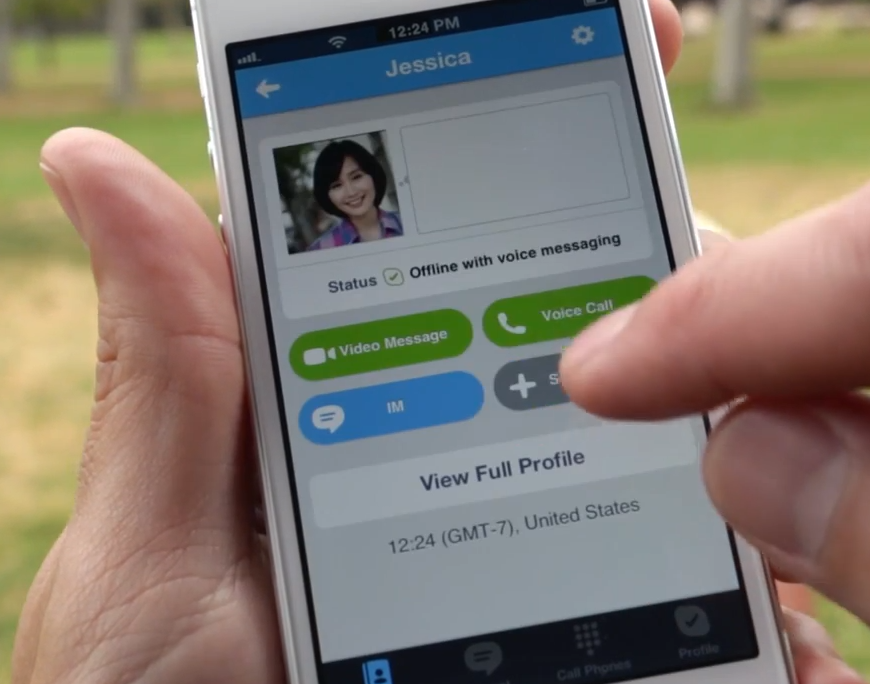
The video chatting giant, Skype, announced today that they are taking their new video messaging feature out of “preview” and making it available to all of their mobile and Windows applications. Sometimes people aren’t available for real-time video chatting, and that’s where this new feature comes in. Skype Video Messaging is the latest add-on to the popular chatting application that allows you to capture a moment in time through video that can then be sent to someone for later viewing. 

The new feature that is already available in the Google Play Store, now allows you to record up to 3 minutes of video to send through Skype to someone on your contact list. These videos can be viewed at a later time, so if the person isn’t online right when you record, there is no problem. Video Messaging, unlike real-time video chat, doesn’t require a WiFi connection to send, so don’t worry about whether or not your carrier will let you video call. If you are ready to start sharing video clips of your life, update your Skype app and get to recording. The service is free of charge.


Via: Skype
New Skype Video Messaging Feature Allows You to Send Video Postcards is a post from: Droid Life

Introducing Project Loon: Balloon-powered Internet access

The Internet is one of the most transformative technologies of our lifetimes. But for 2 out of every 3 people on earth, a fast, affordable Internet connection is still out of reach. And this is far from being a solved problem.

There are many terrestrial challenges to Internet connectivity—jungles, archipelagos, mountains. There are also major cost challenges. Right now, for example, in most of the countries in the southern hemisphere, the cost of an Internet connection is more than a month’s income.


Solving these problems isn’t simply a question of time: it requires looking at the problem of access from new angles. So today we’re unveiling our latest moonshot from Google[x]: balloon-powered Internet access.


We believe that it might actually be possible to build a ring of balloons, flying around the globe on the stratospheric winds, that provides Internet access to the earth below. It’s very early days, but we’ve built a system that uses balloons, carried by the wind at altitudes twice as high as commercial planes, to beam Internet access to the ground at speeds similar to today’s 3G networks or faster. As a result, we hope balloons could become an option for connecting rural, remote, and underserved areas, and for helping with communications after natural disasters. The idea may sound a bit crazy—and that’s part of the reason we’re calling it Project Loon—but there’s solid science behind it.


Balloons, with all their effortless elegance, present some challenges. Many projects have looked at high-altitude platforms to provide Internet access to fixed areas on the ground, but trying to stay in one place like this requires a system with major cost and complexity. So the idea we pursued was based on freeing the balloons and letting them sail freely on the winds. All we had to do was figure out how to control their path through the sky. We’ve now found a way to do that, using just wind and solar power: we can move the balloons up or down to catch the winds we want them to travel in. That solution then led us to a new problem: how to manage a fleet of balloons sailing around the world so that each balloon is in the area you want it right when you need it. We’re solving this with some complex algorithms and lots of computing power.


Now we need some help—this experiment is going to take way more than our team alone. This week we started a pilot program in the Canterbury area of New Zealand with 50 testers trying to connect to our balloons. This is the first time we’ve launched this many balloons (30 this week, in fact) and tried to connect to this many receivers on the ground, and we’re going to learn a lot that will help us improve our technology and balloon design.


Over time, we’d like to set up pilots in countries at the same latitude as New Zealand. We also want to find partners for the next phase of our project—we can’t wait to hear feedback and ideas from people who’ve been working for far longer than we have on this enormous problem of providing Internet access to rural and remote areas. We imagine someday you'll be able to use your cell phone with your existing service provider to connect to the balloons and get connectivity where there is none today.


This is still highly experimental technology and we have a long way to go—we’d love your support as we keep trying and keep flying! Follow our Google+ page to keep up with Project Loon’s progress.


Onward and upward.


Posted by Mike Cassidy, Project Lead


iOS 7 convierte el Centro de Notificaciones en un asistente al más puro estilo Google Now


iOS 7 Centro de Notificaciones

Una de las novedades de iOS 7 que puede pasar más desapercibida inicialmente para luego cobrar un protagonismo notable es el nuevo Centro de Notificaciones, rediseñado para dar más énfasis a la información más relevante con nuestra agenda en una primera pestaña y las notificaciones de las apps separadas en otras dos reduciendo considerablemente el ruido que pueden llegar a causar.

Lo interesante de esa primera pestaña denominada simplemente “Hoy” es que además de la fecha y el tiempo también nos informa de la próxima cita que tenemos anotada en nuestro calendario, un cálculo del tiempo estimado que tardaremos en llegar al lugar al que nos dirigimos teniendo en cuenta el tráfico actual, nuestros recordatorios o incluso un resumen de a lo que nos enfrentaremos mañana.

La función es completamente configurable a través de los ajustes del Centro de notificaciones, donde encontramos opciones para ocultar o mostrar la información con la pantalla bloqueada, o cada uno de los apartados que nos interesan de la visualización de hoy: resumen del día, calendario de hoy, recordatorios, bolsa y resumen de mañana.

iOS 7 Centro de notificaciones y sus ajustes

En mi opinión se trata de una gran mejora respecto al Centro de Notificaciones de iOS 6, aunque al menos en la beta carece de una de las funciones más útiles que ofrecía anteriormente para los más fans de las redes sociales: publicar directamente en Twitter o Facebook.

El motivo de esta desaparición probablemente se deba a uno de los objetivos de Apple con el nuevo diseño de iOS 7: hacer borrón y cuenta nueva para que todo encaje mejor, no solo las funciones introducidas a lo largo de las seis versiones anteriores sino también las que se puedan presentar en un futuro. Los botones de compartir en Twitter o Facebook admitían poca escalabilidad hacia otras redes sociales así que no os sorprendáis si tenemos alguna noticia al respecto de cara a la versión final.
¡Gracias a Diego J. Domínguez y todos quienes nos habéis dado el aviso!


from Applesfera 

Microsoft Office arrives on iOS – what about Android?


Microsoft Office
Microsoft Office is a premium business tool, there is no secret in that. Whenever you want a document nicely done, whether you’re referring to a spreadsheet, a slide presentation or a simple written piece, Office is the way to go. Here on Google’s field, we’ve waited for Microsoft’s service to arrive for a long time, but as it turns out, Apple was more fortunate and received it first.

The first reasonable question that comes in mind is when will Microsoft bring its best on Android? Well, considering the simplicity of the newly released application, it may take some time.

microsoft office ios

Available right now in the App Store, Office works only on iPhones and there’s no news of an iPad-compatible version. The mobile package can only be used by Office 365 subscribers, a service which costs $9.99 per month or $99.99 per year after a one-month free trial.

Also, there’s now word of a stand-alone application, which can be bought by paying a one-time fee. As BGR states, Microsoft has no plans for such a thing and views the package more as an extension to already existing services.

Besides the business-related tool, those signed in into the Office 365 program also benefit from 20GB of SkyDrive storage and the possibility of installing the entire and complete Office Suite on five different PCs.

What’s included in Microsoft Office for iOS?

microsoft-office-android-2

Office on iOS comes with three of the most well-known Microsoft applications: Word, Excel and PowerPoint. All three are rendered using a nice looking minimalistic interface and contain basic functionality. Each and every service can only function through the cloud-based SkyDrive service and there’s no support for local saving.

As we mentioned, functionality is pretty limited at this early stage. In Word for example, iOS users can only change colors, size and other styling options or add annotations for others. In Excel font styling and cell colors are included, as well as formulas, searching, chart creation, multiple pages and document sharing.

The most severely restricted service is PowerPoint, from where users can only view documents, edit text and add notes.

In all apps, there is no support for paragraph formatting, image inserting or even making use the iPhone’s native copy and paste function – even though it was mentioned by Microsoft in its product guide. Other than that some of the features discussed above encounter errors from time to time or simply refuse to work.

When will Android’s turn come?

Microsoft-Office-Android

Pretty soon we believe. Although there’s no official source and even though Microsoft’s package released for iOS is a very basic one, we have hopes of seeing an Android-compatible version in the upcoming future. The one thing that keeps our hopes alive is Microsoft’s need to make money.

Even though developers currently programming mobile software get more benefits from Apple’s platform than from Google’s (I guess this was also Microsoft’s strategy with Office), Android is still a major player. As soon as the Redmond-based giant will sort things out and develop a truly worthy version of Office, one that works on smartphones and tablets alike, Android will follow.

Also, past signs tend to strengthen our believes. In May last year, the same source claimed to have exclusive news about an Android and iOS version supposed to arrive last November. A month later another credible source claimed the same thing and even added a hard release date. In October 2012 there were mentions of a tablet-friendly release for this March.

From the looks of it, all the speculation was rather founded, but something might have intervened along the way. Maybe Microsoft was busy keeping its own mobile users happy instead of focusing on other mobile operating systems. It’s worth mentioning here that Office has been available on Windows Phone 8 since the launch of the platform, in October last year.

It’s only logical that Microsoft developed WP8, launched Office mobile alongside it and then expanded to other platforms. Cross-platform support is a thing well considered by Microsoft and as a recent report shows, the company is willing to bring even the Web Apps suite to Android tablets soon. It shouldn’t take long to see true Office Android app as well.

Until that happens, Android enthusiasts can rely on other applications to do the same job. OfficeSuite Pro and Google Drive are some good options.
Presently, Office for iOS is only available in the United States but Microsoft is reported to bring the app to 136 different markets in 29 different languages.


from Android Authority 

#HootTip: How to Add Vimeo to your HootSuite Dashboard

From Vines, GIFs and Snapchats to YouTube commercials and quality brand videos, consumers today are gravitating hard toward video. Brands are beginning to tap into rich media marketing with inspirational and high quality videos. While we can't help you tackle the making of premium videos, we can help simplify the sharing process.

Here's the trick, with HootSuite's integrated Vimeo App, you can easily upload all of your rich media videos, share them across any social network in a few simple clicks and monitor their progress, all within your dashboard. For a quick overview of your Vimeo account, create different streams next to one another for your Videos, Albums, Likes, Channels, Groups, and videos you've marked to "Watch Later".


Facebook to unveil a new product on June 20, could be an RSS reader


Facebook hosting 'biggest developer party yet' at Google I/O

The largest social media network on the planet is preparing for a rather mysterious event where an unknown new product will be launched. The Facebook invitation comes in the form of a simple, small letter, saying that a small team has been working on a big idea, which should be unveiled on June 20 at Menlo Park California.

Coming shortly after the company’s official introduction of clickable hashtags, which now allow users keep up with trending topics without actually following the news constantly, there are some speculations about what will actually be announced next week.

TechCrunch revealed that there appear to be signs of a new RSS feed reading service embedded right in Facebook’s Graph API code. The developer who made the breakthrough stated that when he tried to run the code, results appeared restricted only to whitelisted addresses. Moreover, the nature of the API code describes a connection from a Facebook user to an RSS feed, a feed which has multiple entries and subscribers.

Pairing this with fact that Google’s famous Reader service is going to be discontinued on July 1 makes this rumor quite plausible.

Facebook and RSS feeds

facebook letter
Facebook’s invitation letter for the upcoming event – Source: CBS Interactive

After Google announced it’ll kill its famous RSS feed reading service due to usage decline, various companies including Feedly, Digg and NewsBlur tried to seize the opportunity. Feedly, for example, got a massive rise of traffic with over three million new users creating an account after Google’s announcement. It’s hard to even think of why Google chose to close this product, as it looks like a worthy potential still exists for such services.

Well, that potential will probably be picked-up by companies like Facebook. In order to keep its users even longer on the site, the social media network may add an alternative way for users to consume content. In my opinion, the introduction of a streamed timeline was the first step into this direction, users being able to view each and every entry in a chronological order.

Speculations claim that Facebook’s RSS reader could be implemented as a different section inside the website.

Facebook could also announce a massive update to its existing service, Notes, in order to steal some numbers from Tumblr. The interesting part is that an upgrade of this scale would require a feed reader to extract and provide content.

Facebook already has some experience with RSS services, introducing back in 2011 the “Subscribe via RSS” feature which was later replaced by the “Follow” feature. RSS still exists in the current release but the process of creating a unique RSS feed for one user implies several steps.

On the other hand, we know that reading feeds is not a mainstream habit and it’s something only used by vivid media content consumers. So, deploying such a service may cause confusion in Facebook’s camp – there are plenty who do not know what an RSS feed actually is, so why even bother? Also, Facebook may be already a bit late, as plenty of users switched to other feed serving engines once Google broke the news of discontinuing Reader. And that happened three months ago.

Do you read RSS feeds and if so, would you even consider Facebook for that in case this rumor turns out to be true?


from Android Authority 

Instagram dará el salto de las fotos a los vídeos

 Imagen: Wblg.co

  • Rumores de la llegada del vídeo a Instagram el 20 de junio
  • Duración de entre cinco y diez segundos
  • El evento de Facebook lo desvelará

El próximo 20 de junio, Facebook ha convocado a un evento sobre el que apenas ha dado detalles. Pero TechCrunch ha señalado que lo que será presentado es el desembarco de los vídeos en Instagram, aunque inicialmente se hablaba de su propio servicio de feeds RSS. No hay que pensar mucho para caer en que esto es una respuesta al efecto Vine. La plataforma por excelencia para compartir fotografías hechas desde el móvil se ha visto sobrepasada por Vine en el número de veces que fue compartida en Twitter. Sencillamente, hay más vídeos de Vine compartidos en Twitter que fotos de Instagram. Una de las posibles causas, el hecho de que las segundas ya no muestran la previsualización en miniatura en las cards de Twitter. Pero no hay que perder de vista que los micro-vídeos se han ganado el encanto de los usuarios.
Con esa premisa, Instagram estaría probando ya mismo de forma interna un nuevo servicio que integre vídeos en su plataforma, de una duración de entre cinco y diez segundos. Dando por sentado que esto finalmente ocurra, no se sabe nada más. Ni si tendrá filtros, ni si formará parte de la propia aplicación de Instagram o llegará como una aplicación complementaria. Pero el movimiento, viendo el siguiente gráfico, parece incluso necesario:
Vídeos en Instagram
Los vídeos en Instagram podrían suponer una revitalización en un servicio que ya no es quien fue. Si la compra por parte de Facebook ya le supuso una pequeña crisis por parte de muchos usuarios que no aprobaron dicha compra, el rediseño de Flickr y su altísima capacidad de almacenamiento gratuito, 1 Tb, le supusieron otro golpe a su reinado. Introducir vídeos le supondría la ventaja de su enorme base de usuarios, pero faltaría ver cómo reaccionan los muchos usuarios que ya utilizan Vine, que de momento no ha dado ningún motivo de descontento.


from Celularis

Debate sobre la privacidad vs. la seguridad

Un experto en seguridad y un abogado de derechos civiles debaten en Al Punto
Debate sobre la privacidad vs. la seguridad a raíz de las revelaciones de que la NSA ha estado espiando los récords telefónicos de celulares y de correos electrónicos.